Blobatar faces
Every bot gets a friendly face and its own color, so you know who's talking at a glance.
 Hermes Messages
For iPhone
Text your bots like you text your friends. Hermes Messages puts every Hermes agent in a chat that feels right at home on iPhone, with group chats, tapbacks and replies that look great.
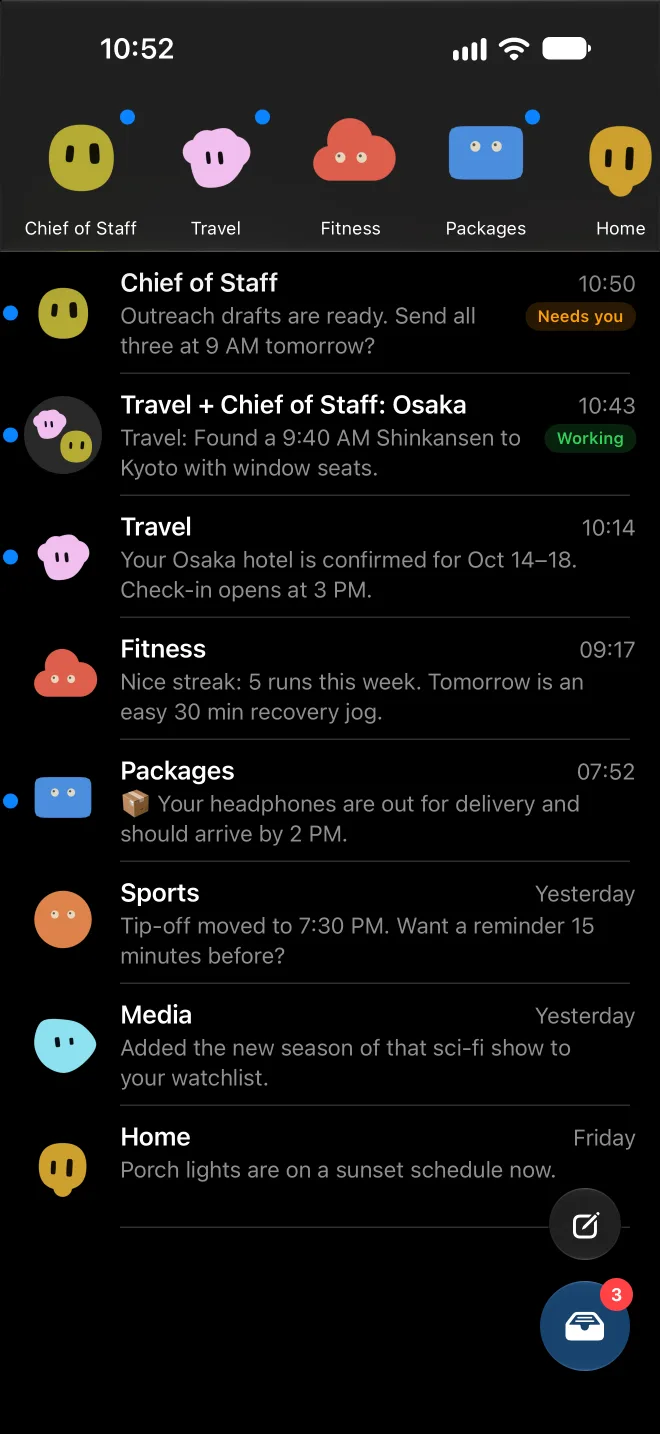
Each one gets its own face, color and chat. Pin your favorites and they're always one tap away.
Rich replies
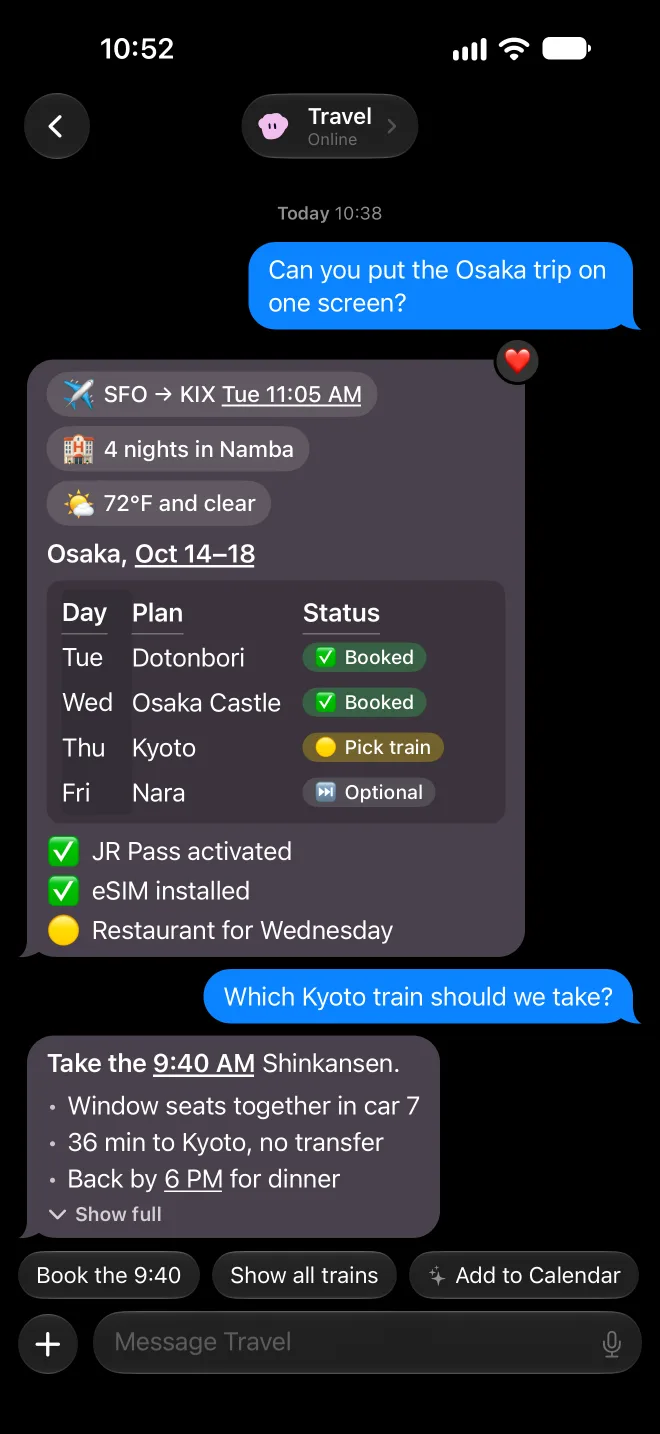
Plans come back as tidy tables with status pills, quick-fact chips and checklists. Dates and times are tappable. Long answers fold into a Gist, a quick summary made by Apple Intelligence right on your iPhone, with the full reply one tap away.
Group chats
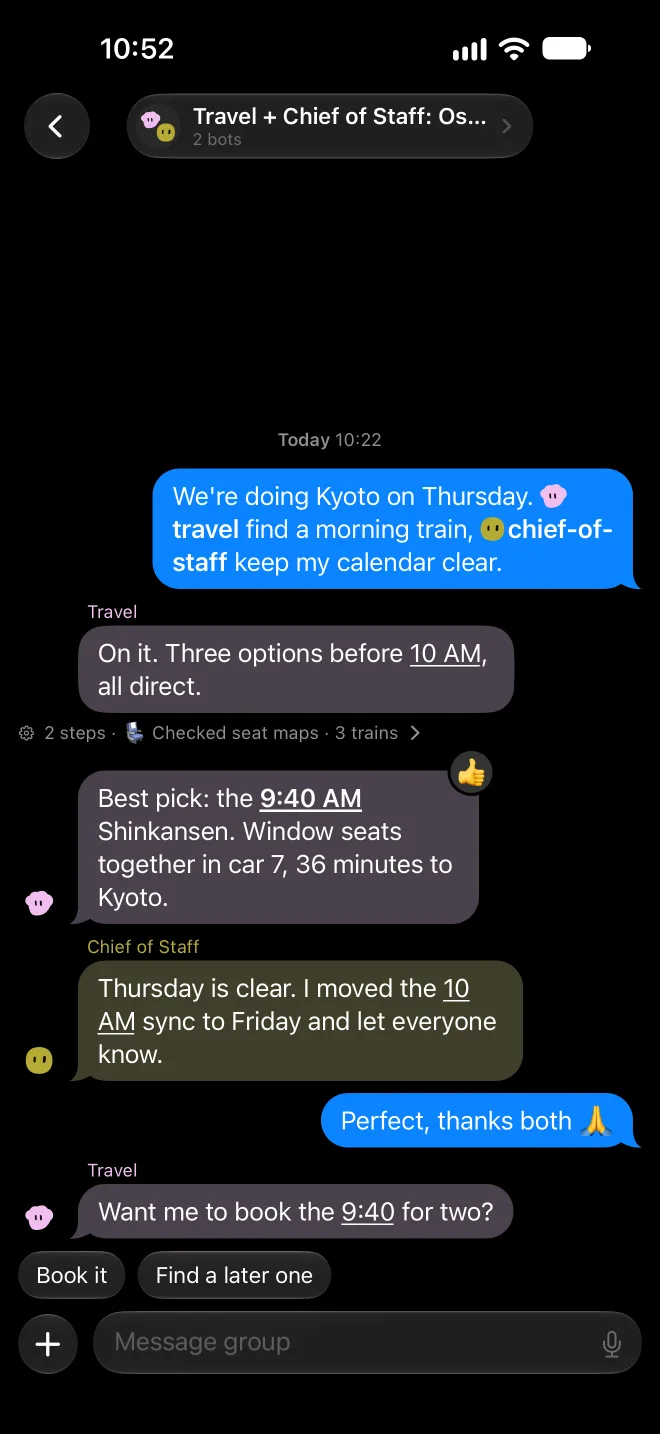
Planning a surprise? @-mention a bot to hand it a job. One finds the cabin while the other orders the cake. Every bot keeps its own color and face, and a short line shows what it did behind the scenes.
You're in charge
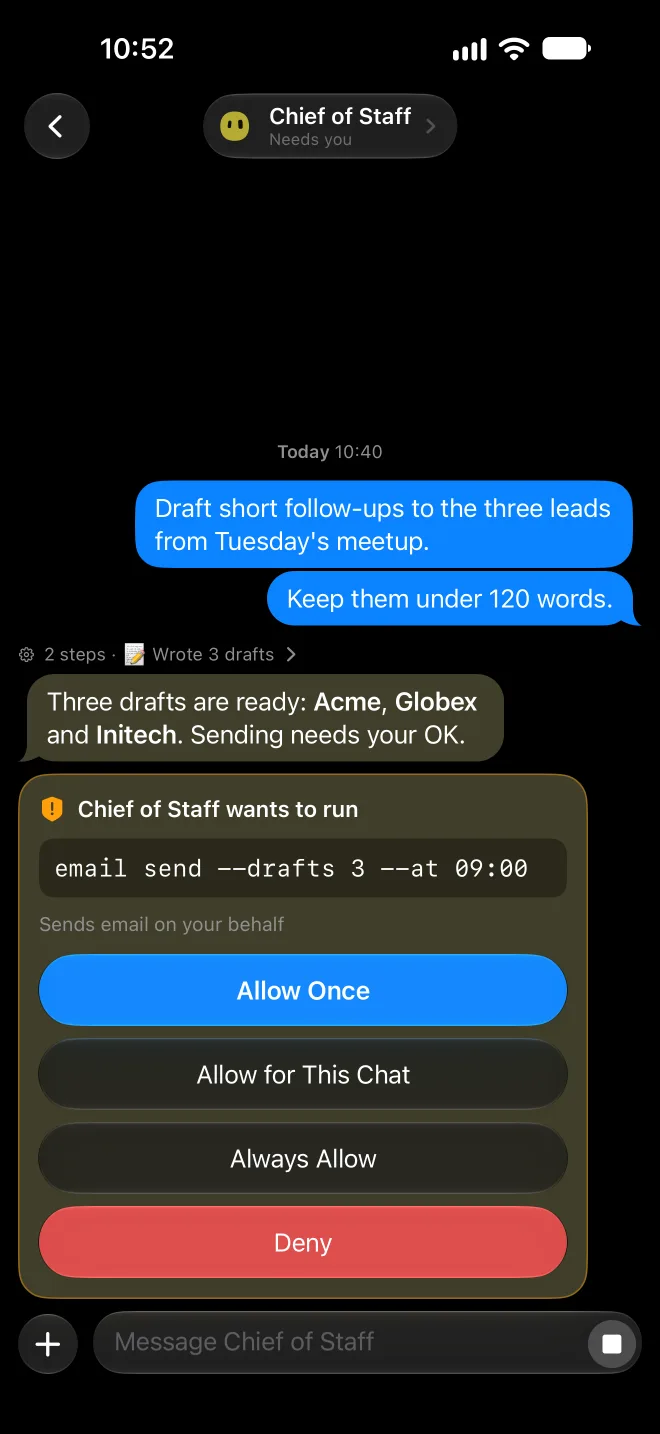
Before a bot places an order or sends something for you, it asks. Allow it once, for this chat, always, or not at all. Passwords and one-time codes stay locked in a Vault behind Face ID.
Quick questions
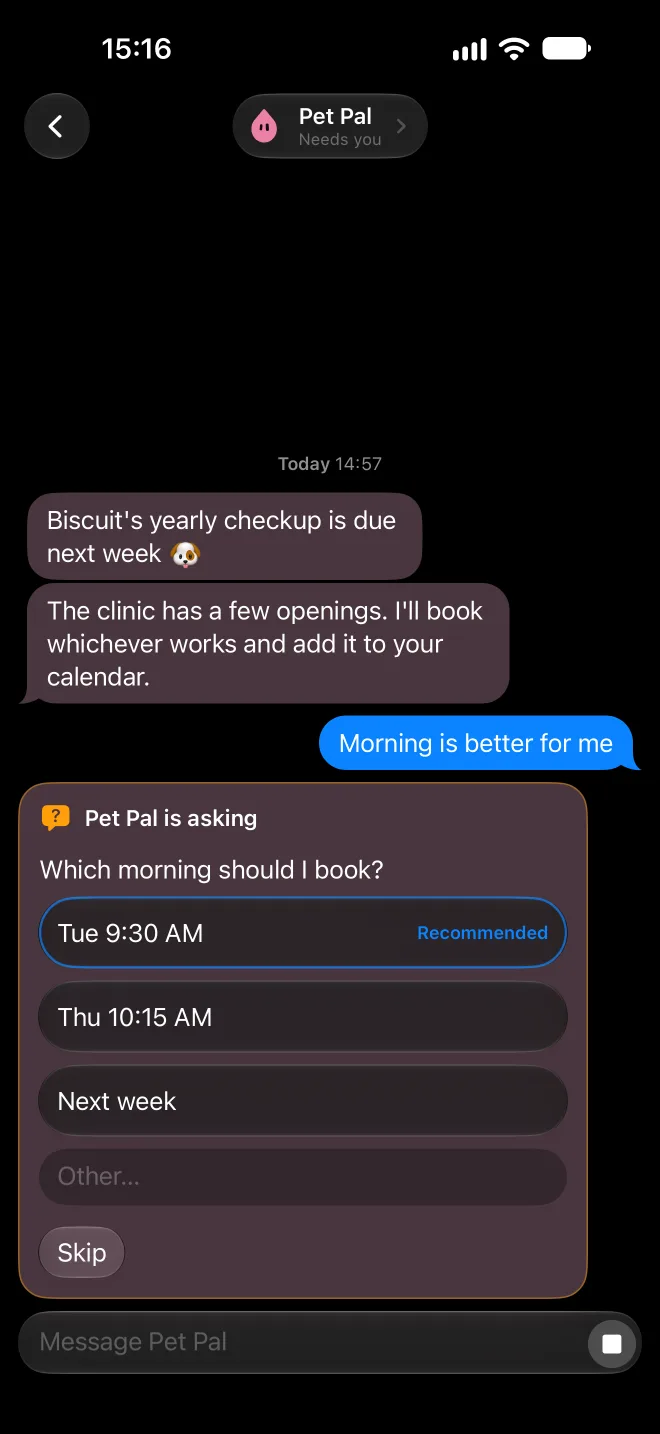
Instead of a wall of text, you get a little card with the choices, and the bot's pick is already marked. Tap one and it carries on. You can also type your own answer or skip.
Notifications
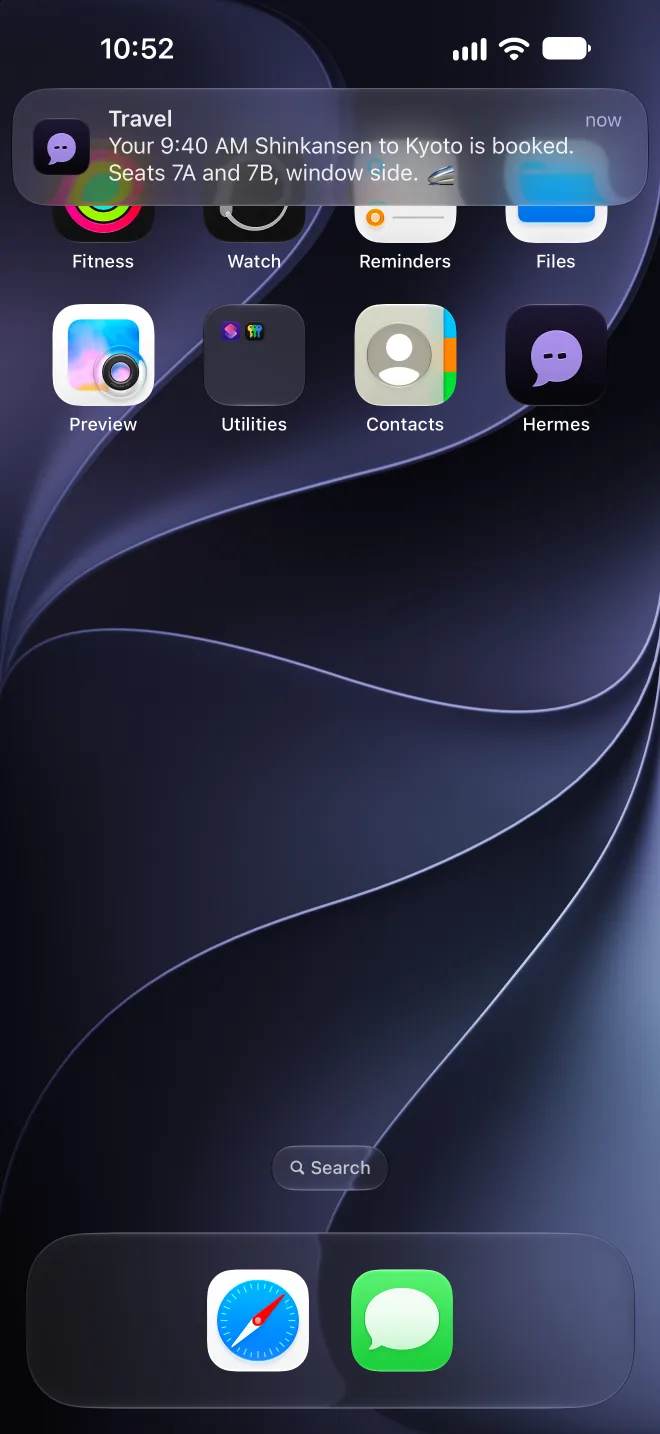
Replies show up like a text from a friend, with the bot's name right on the banner. They're encrypted end to end, so only your iPhone can read what they say. Approve or answer right from the notification.
Every bot gets a friendly face and its own color, so you know who's talking at a glance.
Morning briefings and scheduled check-ins land in their own Inbox, ready to read over coffee.
Type @ to pull a bot into the conversation. Bots can pass tasks to each other, too.
Apple Intelligence sums up long replies on your iPhone. The summary never leaves the device.
"Ask Sous Chef what's for dinner." Your bots and chats work with Siri, Shortcuts and Spotlight.
Snap a photo, scan a document or attach a file. Bots can see what's in your photos.
Point your camera at anything and choose "Ask" to start a chat about it.
Send links, photos and files to any bot or group straight from the share sheet.
Bots can hand you a button that runs one of your Shortcuts, then pick up the result.
Let a bot read your calendar or workouts when it helps. You choose which bot sees what.
Your local time and place come along with each message, so "tonight" means tonight.
Chats open instantly. Anything you send without signal goes out as soon as you're back.
Face ID keeps your chats private, and the Vault locks the moment you leave the app.
Heart a reply and the bot sees it. Quote a message, tap a quick reply, or stop a bot mid-thought.
Talk instead of type. Speech turns into text on your iPhone.
Your chats stay in sync with Hermes on your computer, so you can start on one and finish on the other.
Hermes Messages, for iPhone.